01 Overview
Shelf to Shelter
Relief supplies, from warehouse to shelter.
A clickable prototype. Every role works, failures included.
- Product Design
- Prototyping
- Multi-role Flows
- Accessibility
5
roles, plus a public page
151
pages checked, across 17 accounts
11
features from 2 sync transcripts
500 m
location check, even offline
Counts from the prototype's demo data. No real-user numbers yet.
02 The problem
Many hands, one request, and no signal
Shared
Nobody owns it all
Many organisations share one request. Nobody sees the whole plan.
In the field
Poor signal
Drivers have patchy signal and GPS. Every step had to cope.
Moving scope
A demo first
First users saw a serverless demo. Daily syncs kept changing it.
Five roles and the public
Platform admins
Declare disasters, see everything
Relief leads
Open shelters, raise requests
Shelter managers
Ask for what they need
Warehouse managers
Decide what they can send
Volunteer drivers
Collect and deliver, on a phone
The public
A disaster's page, no personal details
There was no earlier tool. "Before" is my own first prototype.
Before: my first prototype
- Pick a person in "Using it as"
- Admin tags warehouses by hand
- Relief lead asks those warehouses
- Warehouse checks its stock page
- Warehouse assigns a driver
- Driver delivers, needs signal throughout
After
- Sign in with a code
- Declare a disaster, drivers asked to help
- Add a shelter inside the area
- Request goes to warehouses in reach
- Warehouse enters what it sends
- A driver claims and collects it
- The public page updates
Right supplies, right shelter, while it matters. Each person's next step stays clear.
03 Role & scope
End-to-end UX from a loose brief
Senior UX Designer
2 months
From September 2026
Decided together
The project lead
Gave me the warehouse redesign. Set pickups and opt-in.
The developers
Daily syncs. Wanted a public page and offline mode.
The client's stakeholders
Asked for temporary or permanent shelters
An AI pair
Helped build and audit
04 Requests & acceptance
One request, covered in parts
The hard call: what about stock?
Requests · Accept
From "You have 900" to zero
Tried
"You have 900"Filled in from stock - A stock page and accept wizardWarehouses manage stock elsewhere. Drivers now claim jobs.
- Tagging warehouses to disasters in advanceNow requests find warehouses in reach. The search widens if nobody accepts.
- Pallet capacity on every warehouse Next phaseStock and storage are out of scope.
- Cards showing "You have 900", forms pre-filledMy call: it's delivery, not inventory. Managers check their own shelves.
Shipped
Starting from zero Cards show need and distance, not stock. Every line starts at 0.
Stock came and went twice. Every version still opens.
Decided with The team, after I flagged it
05 The driver's phone
Only the jobs you can help with
Drivers are volunteers on a phone.
Drivers · Get jobs
From fleets to drivers who opt in
Tried
- Fleets, with an add-driver wizard Next phaseAll drivers are volunteers, so fleets went.
- The warehouse assigning a driver while acceptingNow any eligible driver claims it first.
- Alerting every driver everywhereNarrowed to free drivers who opted in.
Shipped
Drivers within 150 miles get asked. Jobs go to free drivers who joined.
No tracking: location updates on opening.
Decided with The project lead
Drivers · Pickup
From a buried button to pinned
Tried
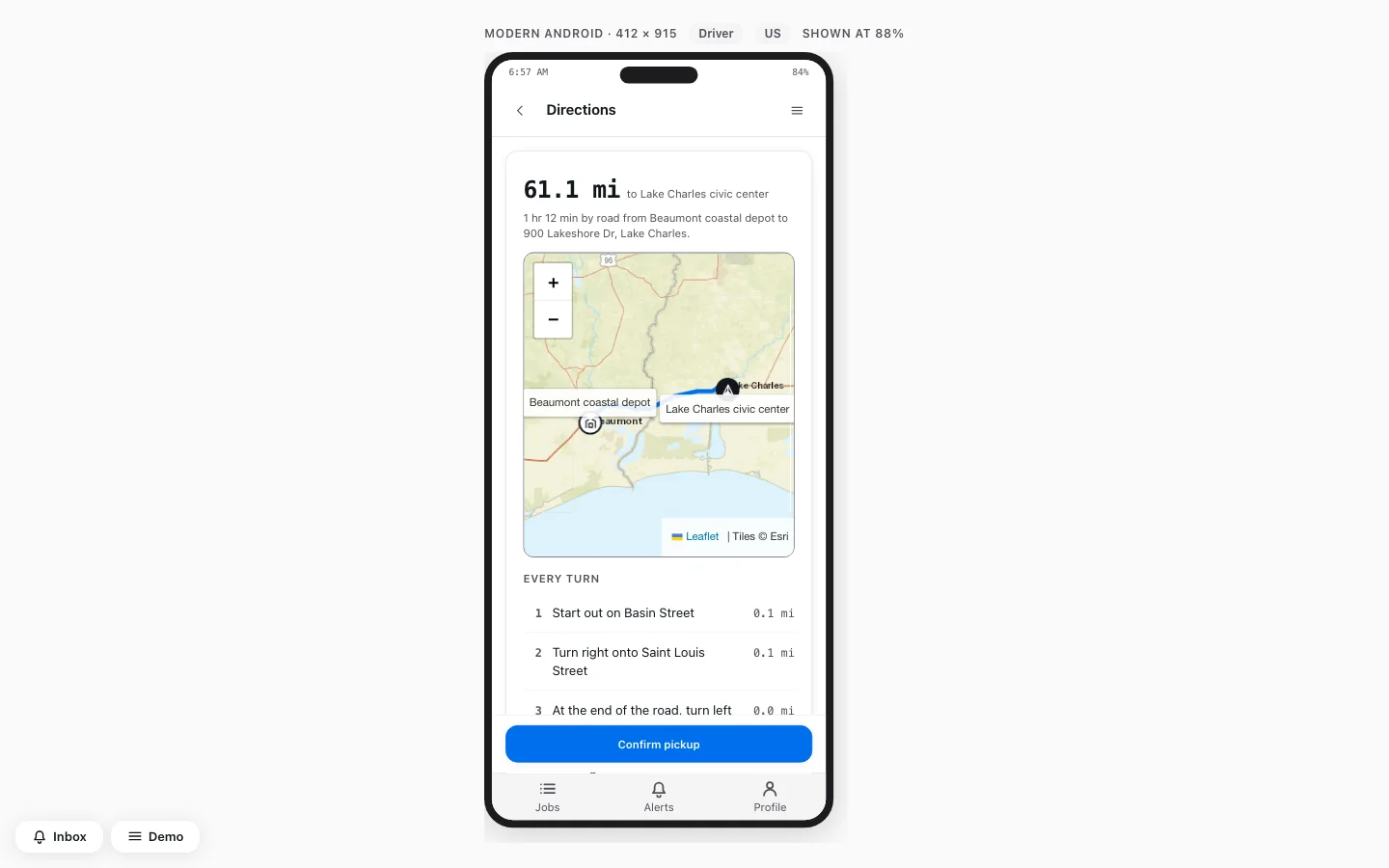
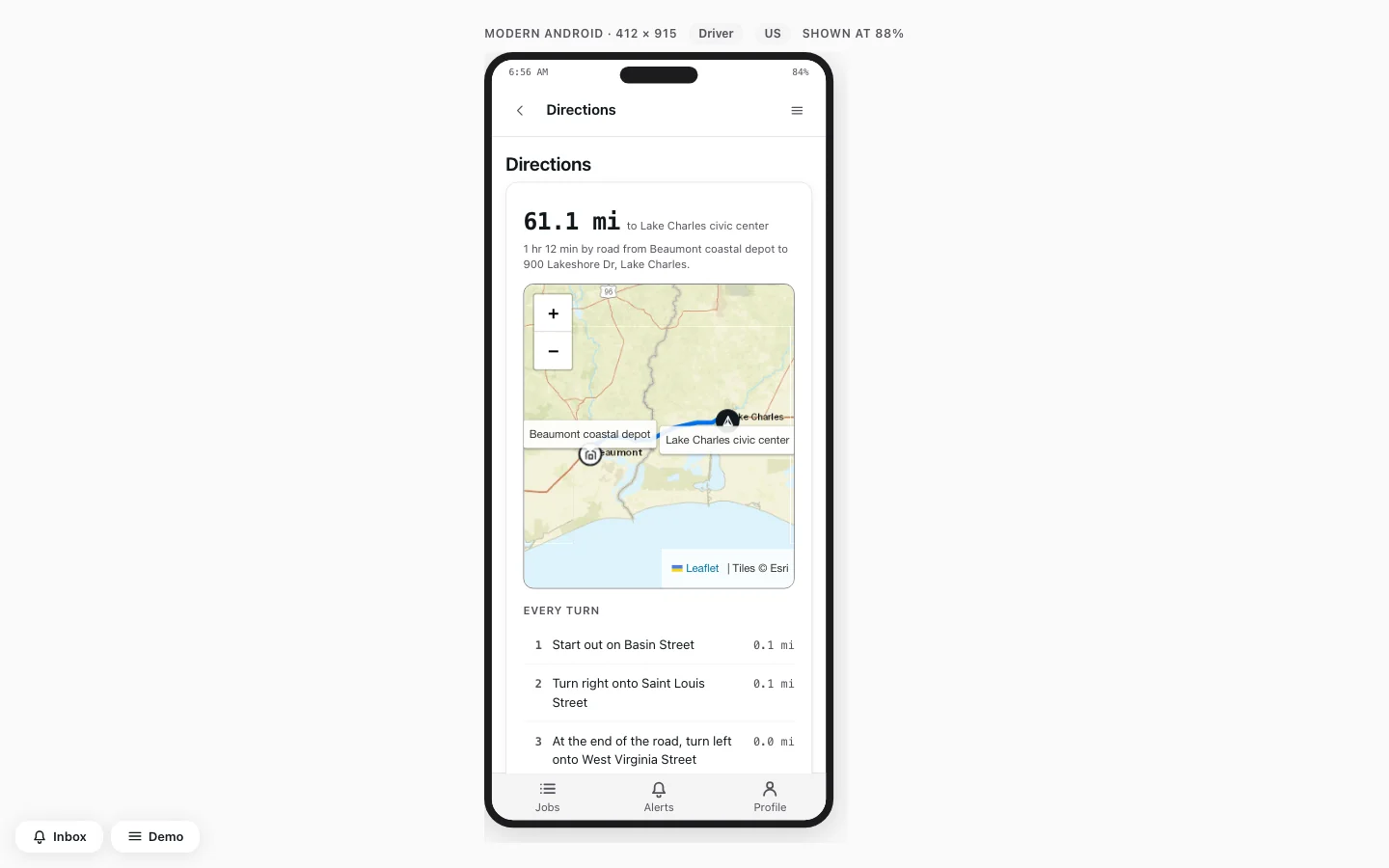
Two headers, no button - Two titles, and Confirm pickup buriedDrivers scrolled past every turn to continue.
- Confirm buttons that were always onNow unlocked within 500 m.
Shipped
One top bar; actions pinned below. Steps unlock within 500 m, even offline.
Overrides are reported, with the reason.
Decided with The developers · The project lead
06 Getting in
You are who signed in
Getting in · Sign in
From persona switcher to one-time code
Tried
A persona switcher - A branded demo wrapper with inspectorsRejected early. Stakeholders needed the product, not a harness.
- A "Using it as" persona switcherIdentity should come from signing in.
- An email-or-phone dropdownOne Email/Phone field is simpler. An @ means email.
- Picking a disaster first at sign-upSigning up never tags a disaster.
Shipped
One field, one codeSigning in with a code One field, and a five-minute code. Three wrong tries pause it briefly.
The public page shows no personal details.
Decided with The developers · The project lead
07 Disasters & shelters
Let the map do the typing
Relief leads add shelters under pressure.
Shelters · Add
From one long form to two steps
Tried
One long form - One long Add shelter formToo long for a stressful moment.
- A state dropdownThe map pin already carries the state.
- Manual "Reach, in miles" fieldsThe disaster type now sets the area.
- Shelters with no typeReal shelters are buildings or tents.
Shipped
Two short steps Who and what first, then where. Shelters must sit inside the disaster area.
A shelter once landed miles away.
Decided with The project lead · The client's stakeholders
Disasters · Look
From grey wireframes to one style
Tried
One of five looks - A greys-only wireframe kitKept until a look was agreed.
- The same app in five stylesFlows mattered here, not a design system. So I picked HeroUI, ready-made.
- Ten rounds per component, then three densitiesB for desktop, C for phone. I refined B in Figma.
Shipped
The chosen lookRefined in Figma HeroUI became the base from then on. Every card got a map.
My Figma frames set the card spacing.
08 Checking the work
A prototype that checks itself
It checks words, numbers and access. I also swept every role and page.
What it found
Wrong requests listed
Fixed
Failure simulator
Now covers sign-in and driving
Default-blue checkboxes
Passed contrast; screenshots caught them
Clean after removing stock
Every page checked
← Back to work