People finish what the AI can't tag.
A working prototype for broadcast media teams.
- AI-Assisted QC
- Media Operations
- Scheduling
- Design Systems
02 The problem
Fewer people, better AI, constant deadlines
Fragment
A slice of the day
Each channel's broadcast is cut into fragments. A QC works through each one.
Parameters
What the AI must fill
Programme, story, category, place and more. AI fills some; people finish.
Confidence
When to trust it
Every suggestion has a score. The console shows when to trust it.
Manual QCs
about 10010% of that
for news channels alone, at the start
AI accuracy
70%90%
when the work reached me
Goals the business set, not results. Nothing is measured yet.
Four roles
Quality checkers (QCs)
Fill what the AI couldn't
QC leads
Who works which queue, and when
Admins
Set up queues; watch the AI
Platform owner
Onboards client organisations
I worked from client screenshots and sketches. Neither is shown here.
Before: a lead allocating work
- Pick one date
- Auto-allocation runs on load
- Scan the grid
- Reassign one by one
- An edit re-runs it
- Re-run to start again
After
- Open the shared period
- Create the next one
- Copy from the last five
- Select all unassigned
- Reassign to a trained QC
- Step through the days
Fewer QCs means each does more. They trust the AI where it's earned.
03 Role & scope
Every design call, in a working prototype
04 The QC console
Where a QC spends the day
Console · AI suggestions
From a Use button to pre-filled fields
Tried
Suggestion beside a Use buttonAccepting suggestions with Use - A suggestion row with a Use buttonReview in place, not opt in.
- An "AI suggests" tag before each suggestionAn AI icon said it smaller.
Shipped
Reviewing pre-filled values Fields start filled with the AI's suggestion. A colour-coded score sits inside each.
The QC reviews and corrects. Nothing to accept.
Decided with The senior business head
Console · Timeline
From one fragment to the whole day
Tried
- A stepped timeline of the fragment onlyStaggered clips were hard to read.
- A playhead stuck inside the fragmentQCs need what came before and after.
Shipped
The track shows the whole day. Only my fragment and edges are editable.
Tags often run across fragment edges.
Decided with The senior business head
Schedule · Allocation
From auto-allocation to schedule periods
Tried
Re-running auto-allocationDate ranges per QC - Auto-allocation that re-ran after most editsLeads allocate by queue and shift. The grid kept changing under them.
- A date range per QCTwo views had to agree on dates. One shared period was simpler.
Shipped
One shared schedule period Both views open on a shared period. Each new period starts empty.
Empty on purpose: allocation is a decision.
Decided with The senior business head
Tried
- A button copying only the last periodLeads needed any of the last five.
Shipped
Copy Allocation picks from five earlier periods. Select all reassigns a queue fast.
The common case is still one click.
Decided with The senior business head
06 Full-screen tables
Maximise means everything still works
Tables · Full screen
From floating headers to full-page tables
Tried
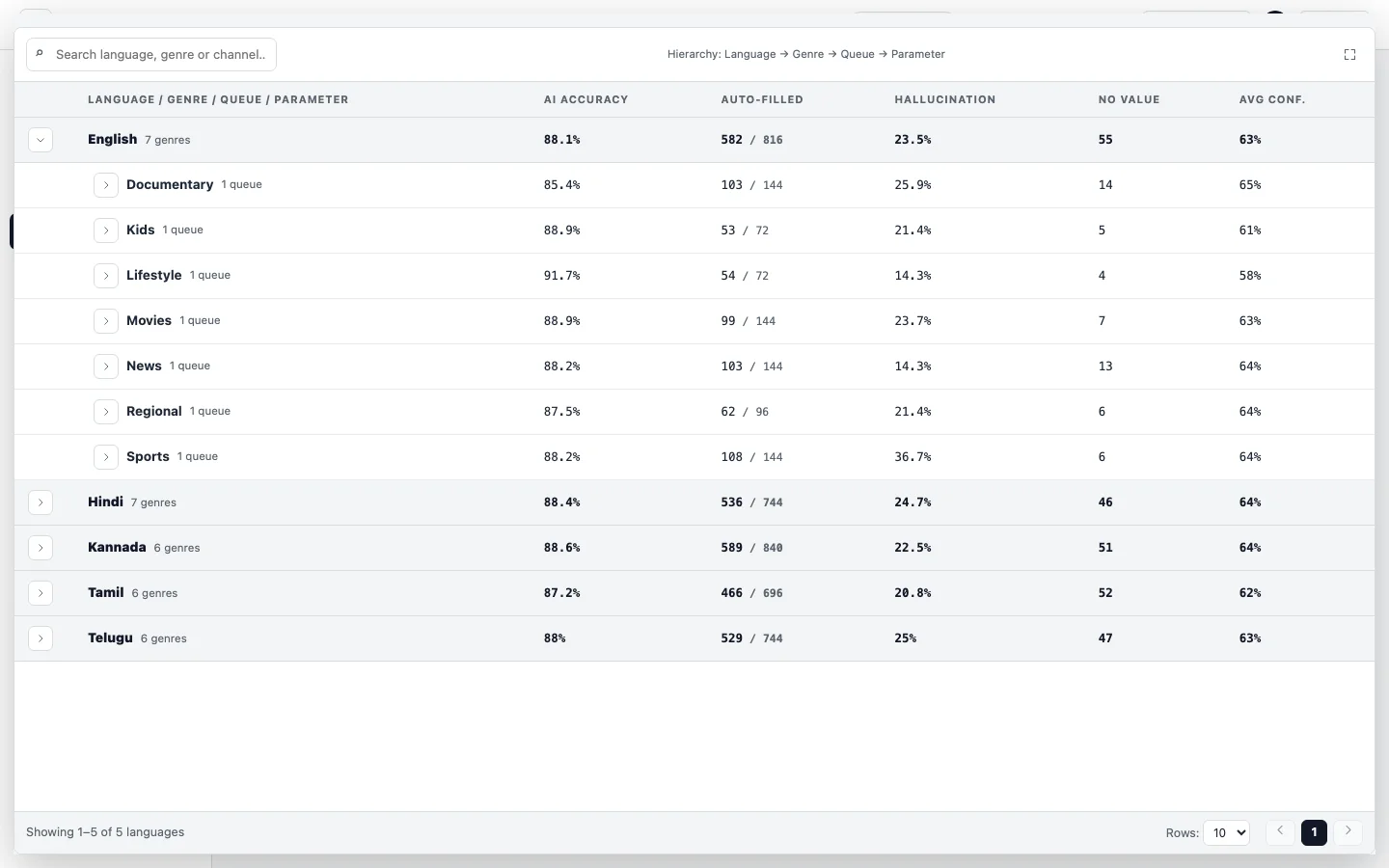
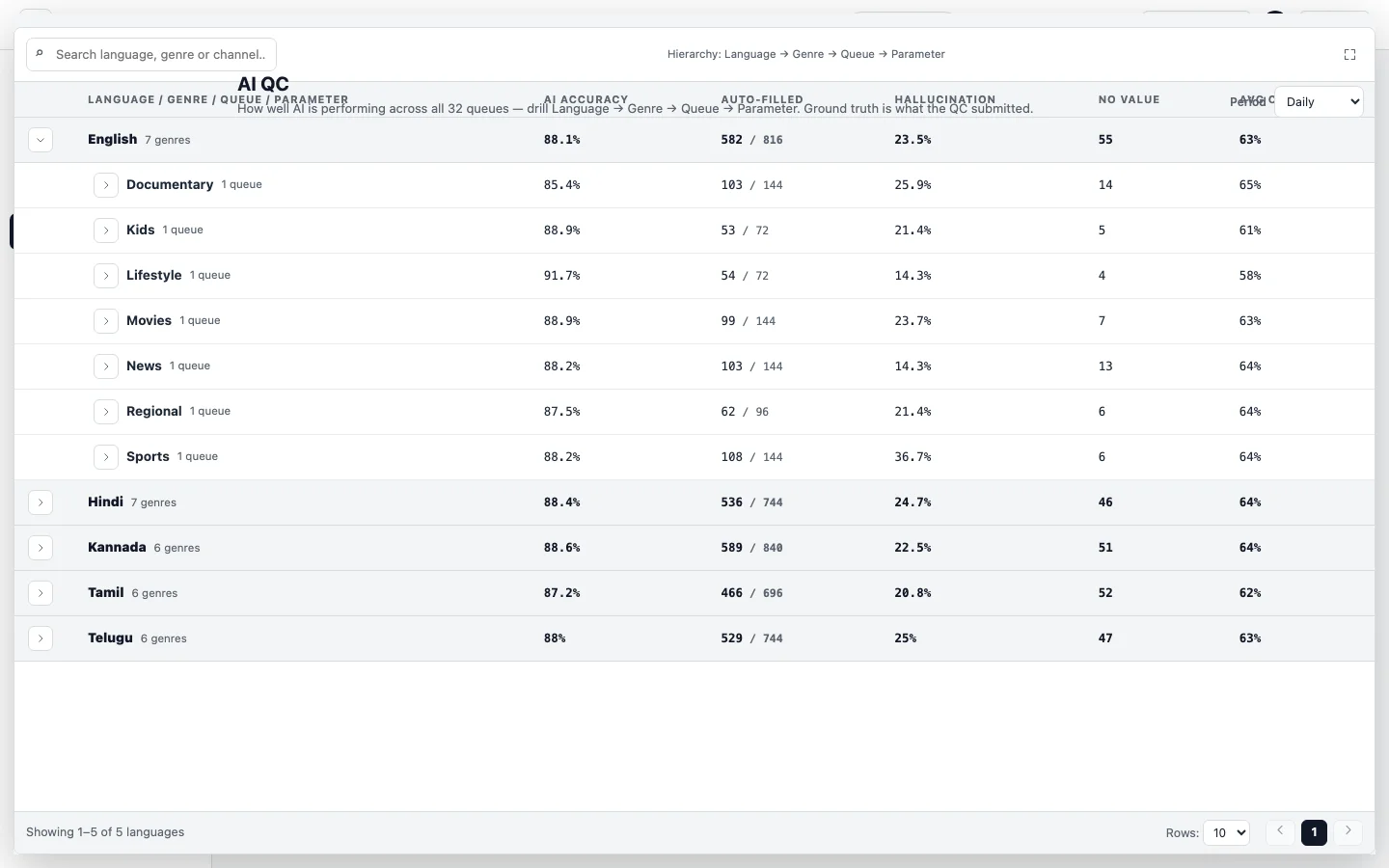
The header over the table (reproduced)A sliver of a table (reproduced) - Headers lifted above the maximised tableI wanted Add buttons reachable. It broke headings; I reversed it.
- Pinning the table where it satLong pages shrank it to a sliver.
Shipped
The table covers the page A maximised table covers everything around it. Only collapse and bulk actions float above.
Decided with The senior business head
Tried
- Maximising only the AI QC tableIts instructions pane got left behind.
Shipped
The instructions pane now expands too. Admins can edit instructions full screen.
My rule: full screen loses nothing.
Decided with The senior business head
Two tried states were never committed. I reproduced them on the current build.
07 Rules that travel
The documents are part of the design
The prototype outgrew its documents. I kept them in step.
System · Rules
From components to rules that travel
Tried
- A catalogue of components and their statesIt listed parts, not the laws.
Shipped
One section of 65 65 components, each with documented states. Then a portable rulebook of laws.
Decided with The senior business head