01 Overview
Lost in the Graph
Guided navigation for complex, non-linear knowledge systems.
I designed a knowledge graph platform end-to-end. Its navigation remembers your path and intent.
- Knowledge Graphs
- Wayfinding
- Intent-based UX
- AI-assisted Search
~2×
faster insight discovery
40–50%
fewer navigation steps
Less clutter
in large graphs
CEO praise
in executive review
02 The problem
Too much graph, too little direction
01
Structuring data
Manual schema setup was slow and inconsistent.
02
Non-linear navigation
Where do I begin? How do I get back?
03
Graph overload
Large graphs became clutter and fatigue.
The problem wasn't visualisation. It was navigating a non-linear system.
03 Role & scope
End-to-end, from raw data to insight
Senior UX Designer
2.5 months
From December 2025
Decided together
Head of Engineering
Rendering feasibility, scope, what waits
Product Manager
Creation vs interaction, delivery order
Backend team
Extraction, AI mapping, schemas
Frontend team
Interaction, building the navigation
Two layers
- Raw data
- Creation layer
- Knowledge graph
- Interaction layer
- Insight
- Upload
- Extract
- Map
- Validate
- Generate graph
Structured · Upload
Start from a template
Explored
Connectors, as designed - Salesforce connectors and HRMS sync Next phaseDesigned and built, with scheduled sync. Parked for cost until the next phase.
Shipped
The upload step CSV or .xlsx upload with a template. Files arrive in a known shape.
Decided with Head of Engineering · Product Manager
Structured · Map
Let AI draft the schema
Tried
- Manual mapping, creating attributes on the spotSlow, and everyone built schemas differently.
Shipped
AI creates and maps; you confirm AI maps columns into categories and attributes. People confirm or fix each one.
The trade-off: AI can be wrong. A person checks every mapping first.
Decided with Backend team
Unstructured · Extract
Context first, then extract
Tried
Everything extracted, regions boxedAuto-drawn regions on an image- Upload PNG / PDF / DOC
- Full extraction
- Mapping
- Extracting everything in the fileSlow, costly, and mostly irrelevant.
- Auto-drawn boxes you could redrawThey blocked the node dialog.
Shipped
Say what you're after first- Upload PNG / PDF / DOC
- Insert context
- Extract as per context
- Mapping
First, people say what they need. AI extracts only that text.
Decided with Backend team
Unstructured · Map
Map with the context it came with
Tried
- Upload PNG / PDF / DOC
- Extract
- Map onto the structured data
- Mapping onto the already-mapped structured data
Shipped
- Upload PNG / PDF / DOC
- Extract with context
- Map with that context
Extract with context, then map. Better input, fewer tokens, lower cost.
Decided with Backend team
Structured files stayed simple. Each sheet shows what was mapped.
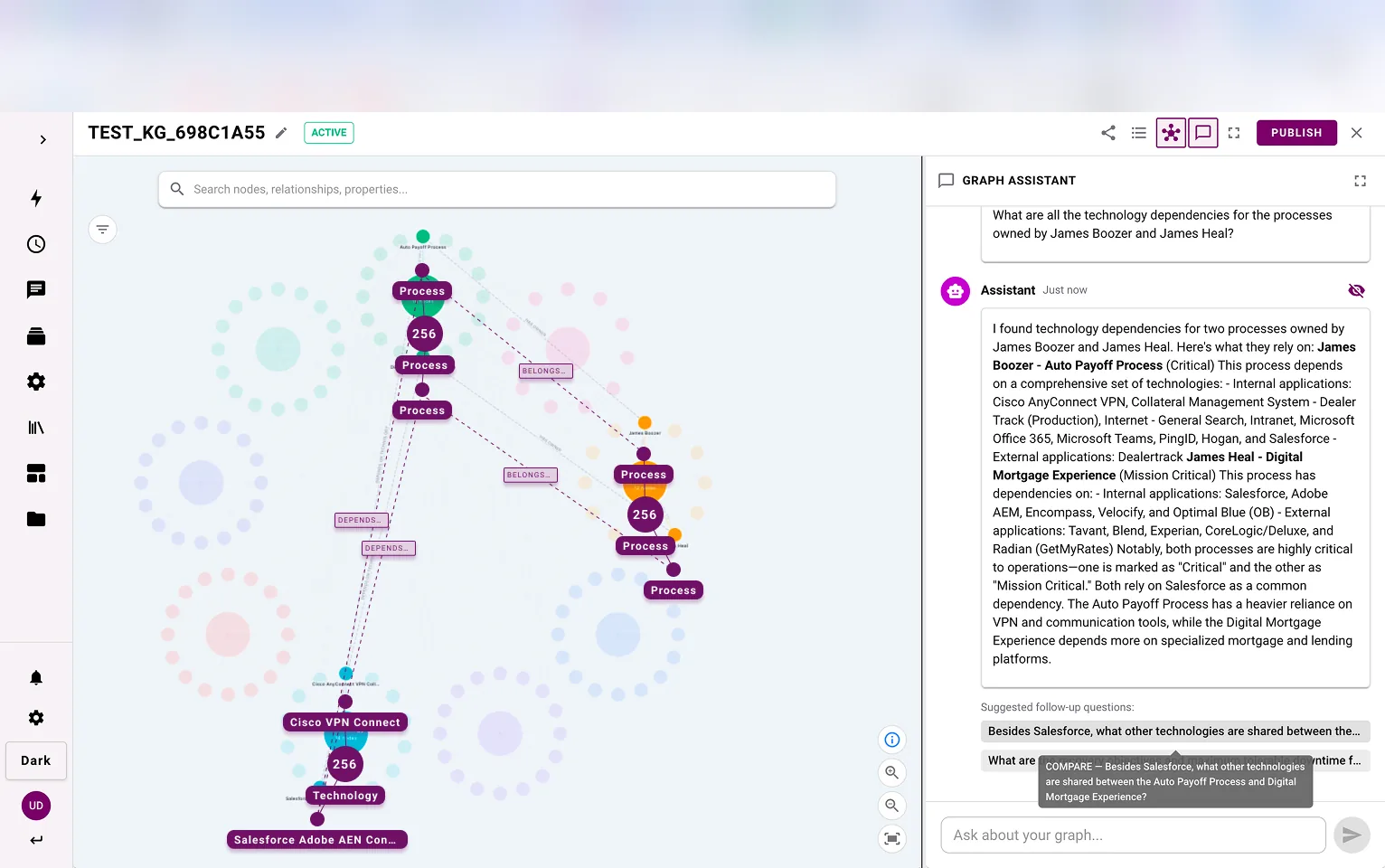
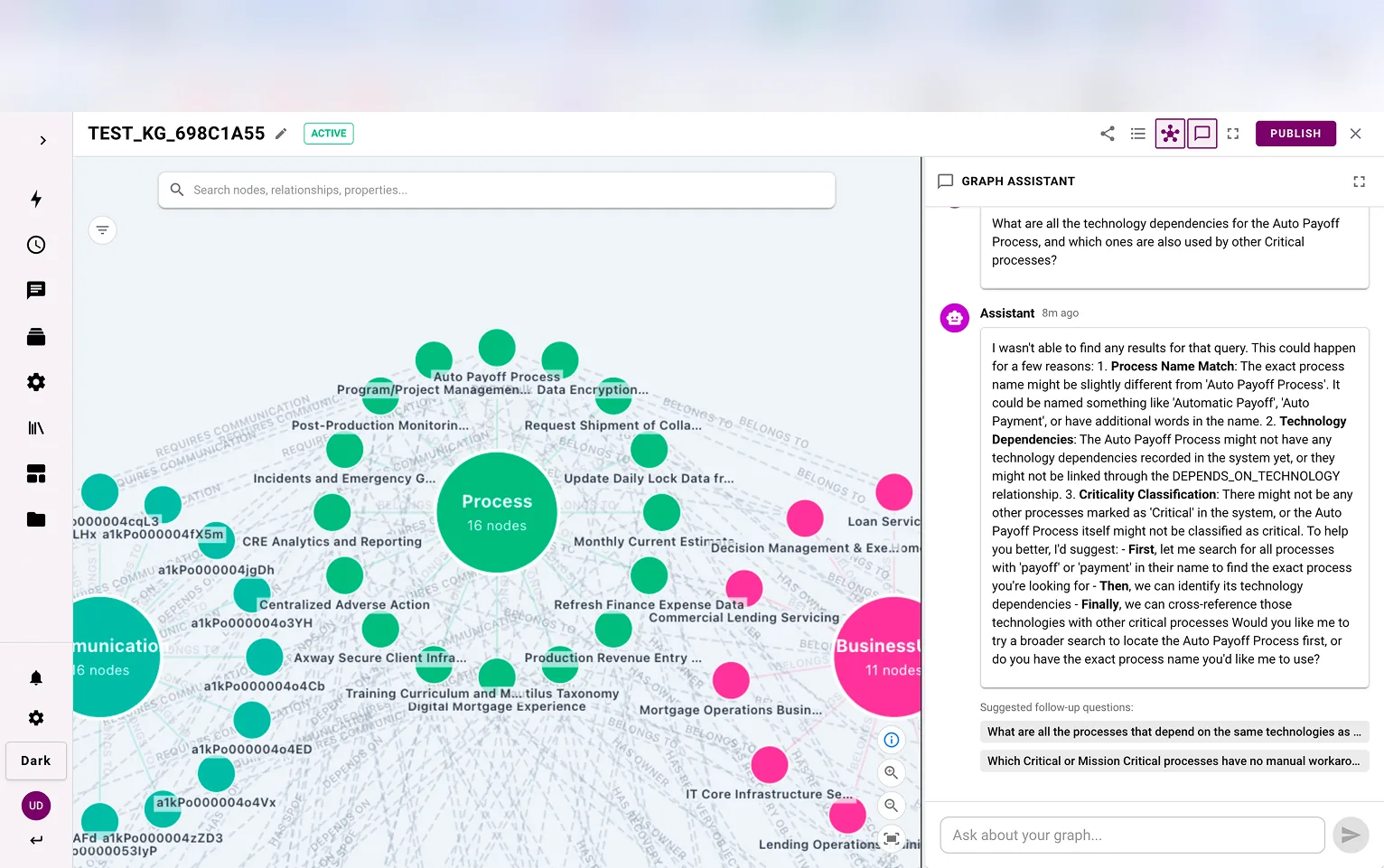
Progress you can read- You ask
- It responds
- Nodes adapt
- You explore
- Edit if needed
Show me the Data Governance hierarchy.
Found it: Data Governance. Click the node to drill in.
Three systems keep it readable
Interaction · Explorer
From canvas and chat to explorer
Tried
Version 1 - Version 1: a canvas beside a chatPeople lost track of where they were.
Shipped
You ask, the graph responds History, breadcrumbs, filters and assistant work together. You always know where you are.
My call.
Explored: attributes spread round each categoryExplored, not shipped: attributes folded into rings Drag to compare.Explored, not shipped
Inline node editing
Deferred for scope and time
Inline relationship editing
AI relationships made it unneeded
Editing prompts and the AI's reasoning
Inline, in the graph
Inline photos
Dropped with photo extraction
06 The differentiator
Navigation that remembers, and looks ahead
Deep exploration loses people. I chose breadcrumbs over a minimap.
All CategoriesData GovernanceData ClassificationData Classification A5 available Two-way breadcrumbs
Back to retrace, forward to preview
Ranked paths
Scored by intent, with colour cues
Saved trails
Query, filters and route kept
Bookmarks
Return to any key moment
After the executive review
The CEO singled out forward breadcrumbs. So I added multi-step previews.
1 · Right-click to view the paths2 · Paths ahead, two levels deep3 · Follow one; the rest fade Guidance without restricting exploration. Mistakes stay visible and recoverable.
The trail in use.Most graph tools are built for looking. This one helps you decide.
← Back to work